How to Get the Right Website Design for YOUR Business

by Heather Floyd June 30, 2010 14:59

CXF322 When you are setting out to build a new website for your business, it’s important to consider both who your target market is, and what information, products, and services you will be offering.

Who

Your target market and your branding will determine a lot about how your website should look, especially in terms of things like colors and mood. If you have a strong brand developed (with a logo, etc), you need to make sure your site design harmonizes with and reinforces that branding. One obvious thing is to select a color palette that doesn’t clash with your logo. The more subtle thing is to determine what your brand means and feels like – and have a design that supports that. Visitors to your site will react, either consciously or subconsciously, to your visual design, so you need the design to send a message which is truly authentic to your branding and business mission.

Audience will determine some other practical concerns – if your target market is a bit older, you will want to make sure that the text is large enough, and has enough color contrast to be easily readable. Certain design elements will appeal more to a younger demographic, and if your market has more conservative tastes, you should keep that in mind when planning your visual design.

What

If your business involves a lot of personal service – such as coaching or consulting, it’s a good idea to replicate, as much as possible, the experience a prospect would have if they met you in person, or were working with you. Make sure you have a good headshot on the site, and your personality comes though in the tone of the text. You might also want to consider your values and personality when designing your branding and visual design. If you are an outgoing and exuberant person, or if optimism is a big part of what you encourage in your clients, your design should reflect that sunny disposition. If calm and steady is more your mode, that can come out subtly in your design. The important thing is that you present yourself as genuinely as possible, so your best potential clients will be attracted to your business and recognize the fit with themselves.

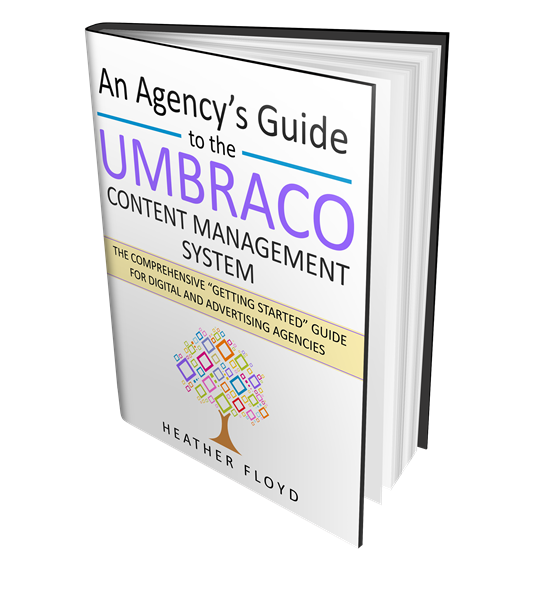
Another consideration in the “what” category has to do with the information, products, services, etc you plan to offer. For instance, if events are a big part of what you do, your design should have a spot to highlight them – maybe even on every page, and at least prominently on the homepage. If you have written a book and want to promote it heavily, you might consider including it right below your navigation sidebar, so that it stands out and is easy to find. You will probably want to have a photo of the book, to make it even more compelling.

How

Now that you’ve been thinking about who your website is for and what you want to present on it, the next step is how to get it.

The first step is to find a web designer who has a portfolio that appeals to you. Bonus points if at least one of the sites is geared toward a target market somewhat similar to your own. The next step is to get in touch and have a conversation. What you are looking for here is a feeling of connection – that the design “gets you” and cares about your business and who your market is. Watch out for designers who automatically offer a generic solution without showing an interest in your particular business.

Once you have selected your designer, let her know as much as you can about the “who” and “what” you have figured out. Make sure to provide high-quality digital copies of your logo, headshot and any other branding or graphics (such as product photos, book cover, etc) you have.

In addition, it can be very helpful if you can send a short list of websites which appeal to you for whatever reason, along with notes about what specifically you like about the design – is it the colors, the layout, the amount of information presented on each page, the use of graphics? This will help you get a design that you love.

Web Action Steps

  • Make a list of traits for your target market – include demographics, psychographics, biggest fears/concerns, and biggest hopes, as they relate to your business.
  • Consider the mood of you and your business. What do you want your audience to feel when they see your website? Excited, soothed, inspired, etc.
  • Make a list of all the information you want to present on your site – list your products services, events, etc. Think long-term – at least 6 months to a year ahead. For example, if you know your book will be published within the next 3 months, and you want to feature it prominently, plan an appropriate spot in the site for it now.
  • Consider what the “face” of your business is – is it you, a mascot, a logo, your team, your clients? How can that be portrayed?
  • Find a designer to work with, and share all this information with him/her.
  • Have a fabulous website that represents your business authentically!

Getting the right design for your website is the first big step in online business success. If you need help exploring your target market, branding, and mood, and determining what content your website should have, or if you are just looking for that great web designer, I invite you to take a look at what I have to offer and consider getting in touch.


2 Copywriting “Clarity Maps” Available for Free

by Heather Floyd June 28, 2010 13:54

ClarityMaps2010-06 Derek Franklin, one of my favorite people to follow online, has just released on his blog 2 free (don’t even need to share your email!), printable, “Clarity Maps”: One about crafting a USP, the other about writing headlines. Check them out.


You're invited to a Virtual Launch Party for "Appelbaum Wellness"!

by Heather Floyd June 21, 2010 16:13

AppelbaumWellD34aR04cP02ZL Whole Web Impact & Appelbaum Wellness LLC cordially invite you to celebrate the official launch of the brand new Appelbaum Wellness website.

on Wednesday, June 23, 2010 at 9:00 AM EST

The party will last for 24 hours from the start time. Please come and participate with us!

As a Certified Professional Coach targeting wellness, Barbara B. Appelbaum brings her 23 years of professional experience as well as her compassion and empathy to individual and corporate clients. Her company motto is "Midlife Truth: Your Power in Choice™". Appelbaum Wellness LLC offers personalized, client-centered coaching for people over 40 who seek answers to the question, "Is this all there is?" and want to stop making themselves sick from stress, anxiety and fear.

Learn more about Barbara and Appelbaum Wellness LLC at the Launch Party.

What is a "Virtual Launch Party"?

The Virtual Launch Party is something I created for my clients to celebrate the unveiling of their new website or blog. All are welcome to participate with us! Stop by for some virtual refreshments :-) and to check out a new website.

To participate in the Virtual Launch Party

  1. Visit http://www.AppelbaumWellness.com anytime after the party starts (see date & time, above) and take a look around.
  2. Go to the party page:http://www.wholewebimpact.com/client-portfolio/appelbaum-wellness.aspx and submit a positive comment using the form which will be available during the party.

Please come and show your support for Barbara and Appelbaum Wellness LLC!


Luring Subscribers with a Giveaway

by Heather Floyd June 16, 2010 00:00

Carrot on a stick If you have an e-zine or autoresponder or other list to communicate with your prospects, you will need to entice your website visitors to sign up for it. (And if you don’t have a list, hurry up and start one!)

These days, people are not that anxious to sign up to receive what they might perceive as “commercial email.” Inboxes are overflowing and the novelty of receiving email has long ago worn off (probably back in 1998, if not before!).

So, how do you convince your visitors to sign up for your list? Simple – give them something valuable. What you offer is up to you, the main thing is that it should be something your ideal client would want to have, and won’t cost you a fortune to provide.

The best thing to use is information. This is something that you have in abundance, and your potential client is likely looking for. Also, it can be very low-cost for you to provide, but of high value to your visitors.

This is also a good way to “show your stuff” in a format that your visitor is excited to receive, and to include your sales message and call-to-action at the end.

You can offer your information giveaway in the format of a PDF “report” or “whitepaper”, or as an audio or video download, the link delivered via a “Thank you” message automatically sent by your mailing list service upon subscription. You could also set up a multi-part autoresponder which sends out a piece of the information over a period of time (every day for 5 days, for instance), if your mailing list service includes the capability to use multiple autoresponders.

Another option is to deliver your information in a physical form – a bound paper report, CD, or DVD. The advantage of sending a physical item is that you can then request a mailing address in addition to an email address. The disadvantage is cost, and possibly distribution (since you or someone you hire will need to print mailing labels and ship out the products).

No matter what format you choose, make sure you give it an exciting title that speaks directly to what your clients want. An example (for a fictional nutritionist):

AVERAGE:

Why You Should Eat Your Vegetables

BETTER:

5 Vegetables That Will Boost Your Immunity and Give You Tons of Energy

or

Loose 20 Pounds in 1 Month by Eating These 3 Vegetables Once a Week

I’m not a copy-writer, but I’m sure you get the idea. The key is to know what the hot-button issue is for your clients and make the answer look simple.

Once you have your bonus and its distribution set up, be sure to update your website with references to your bonus next to a prominent sign-up form. You will want your sign-up form available on every page of your website and possibly on a squeeze page visible before the visitor would reach your homepage.

Web Action Steps

  • If you don’t have a mailing list service, get one (preferably one that supports multiple autoresponders)
  • Put together something you can give away as a bonus to your visitors – make sure it has an enticing title – write your report or record your audio/video
  • Decide how you want to deliver your bonus:
    - As a single-file download
    - As a multi-file download via an autoresponder series
    - As a physical product by postal mail
  • Set up your distribution system for your bonus and link it to your email list sign-up.
  • Update your website to include copy promising your fantastic giveaway
  • Add a line to your business card and email signature advertising your giveaway

Building your subscriber list with a giveaway is an easy-to implement technique. If you need help putting together an online list-building system and offering a sign-up bonus, contact me today for assistance.


Tags: , ,

Whole Web Impact | Floyd Innovations Consulting

Adding Interactivity to Your Site

by Heather Floyd June 9, 2010 15:44

bubble speech Interactivity is the essence of “web 2.0” technologies; a dialog taking place between the site owner and the site visitors, and among the site visitors. If appropriate, you might want to explore possibilities for interactivity on your website.

There are as many possibilities for interactivity as you can imagine, but I will address just a few common ones for our discussion.

Blog comments

If you have a blog, allowing comments from visitors on your posts is a very simple way to add interactivity to your website, and you can continue to write your blog, whether you get a lot of comments or not.

On-site chat

The most direct for business purposes, having a customer service chat box available is an easy way to solicit direct interaction with your site visitors, generally for sales purposes. However, you need to be online (or have a customer service rep online) most of the time for this to be useful or utilized by your visitors.

Forums

If your business can generate a lot of discussion of related topics among your target customers, having a forum is an easy way for your site to facilitate conversations among visitors and add substantial value to your web property. Having your visitors generate the bulk of the content is great from your end, though showing up to comment and answer questions on your own forum is a good idea and will cement your reputation as an expert. The down-side of forums is needing to have a moderator, otherwise they can become a spam magnet.

Considerations

If you are thinking about adding interactive elements to your site, there are some things you should explore first:

How much traffic does your site get?
Make sure that any interactive elements you add to your site are appropriate to the traffic you are getting. Having an empty forum is worse than having no forum at all. You should either choose to add elements that will be sustainable by your current traffic, or focus first on increasing your website traffic.

How will you let people know about your interactive features?
Obviously, you will update your website as appropriate to direct visitors to your new features, but how do you plan to inform your audience who might not otherwise visit your site? Do you have some sort of mailing list? Do you have online platforms outside of your main website (presence on other sites such as Facebook, LinkedIn, Twitter, etc.)? Do you have some way to get the word out via offline channels?

What resources do you have available to develop and support your desired features?
You will need some budget and/or expertise in order to set up many of these items on your site. In addition, you need to consider your time, or your staff’s time to manage, moderate, and otherwise monitor those features. If you won’t have the resources to support the interactive element you are considering, it most likely won’t be a good idea for you to launch it in the first place.

Web Action Steps

  • Get a handle on your web traffic. Figure out how many visits you are getting each month and make sure that matches your expectations for participation with your interactive site elements. (Keep in mind that not every visitor will participate.)
  • Make the business case for whatever you are adding to your site. How, specifically, will having this on your site improve your operations or increase your marketing and sales?
  • Allocate resources. Determine how much time/money will be needed to set up the technology, and how much will be required monthly on an ongoing basis.
  • Create criteria to judge ROI after a predetermined amount of time (at least 6 months – 1 year later). What sort of results will justify continuing to support the feature? What will determine that it is time to discontinue the feature? You should do this at the beginning, and set a reminder on your calendar to review the results and make a determination.
  • Research the options. There are many blog, forum, chat, etc, packages and services available. How your website is currently set up, what exact functionality you desire, and what resources you have available will all be factors in choosing the right one.

Interactive features can make your website stand out above the crowd and increase customer loyalty, but only if implemented thoughtfully and supported as part of your ongoing business operations. This is not a “set it and forget it” type of thing.

If you need help figuring out what interactive features would be appropriate for your site and assistance implementing them, please contact me today about your unique business needs.


Tags: , , ,

Whole Web Impact

Using Video on Your Website

by Heather Floyd June 2, 2010 18:07

TSF004 - Cropped These days video online is hot – and with good reason. Video is compelling, and allows you to connect with your audience in a way that the written word and photographs can’t beat. Frequently the challenge business people face with integrating video into their online marketing is two-fold: strategy and technology. Thankfully, both these can be easily understood and put into practice.

Strategy

When you are considering video as part of your marketing message, it’s a good first step to have a clear understanding about what you want to use the video for:

  • To increase awareness of your brand to a wider audience?
  • To educate potential clients about yourself or your products/services?
  • To build the know-like-trust factor via useful content?
  • To connect personally with your audience and share your personality?
  • To convince people to complete a “most-desired action” (email sign-up, event attendance, purchase, etc)?
  • As an incentive to join your list or otherwise engage with your business?

You might have several different goals, and you need to decide whether you will need separate video campaigns to satisfy those goals.

Once you are clear about your goal, you should draft an outline of the content and presentation of the video(s) required for your campaign. You should also determine where the videos will be located. (On your homepage, on a sales or landing page, as a blog post, as part of your social media, etc.)

All of this should be completed before you get out your camera.

Technology

I can’t possibly cover every possible detail about the technology you can use in video filming, editing, production, and posting. I will just touch upon the basics.

Cameras

A simple, inexpensive digital video camera (less than $250) is all you need to get started. You will likely want a tripod or a friend to help you with your video filming. Cameras with removable media (such as SD cards) will give you plenty of space to film before needing to download your video to a computer.

Editing

There are several software applications that you can use to complete your video editing, from the simple to the complex. When you are getting started, I suggest getting software that is relatively simple and easy to use. Your goal should be to get something completed – not become a professional video producer.

Production

Once your video has been edited, you need to use your software to export the files necessary for the type of hosting you plan to do with it. Decide on your video hosting before you do this step.

Hosting

Online services allow you to host your video easily. Choosing the right one depends on whether you want to publicize your video widely, or restrict who can view it and where. They will also determine how it will appear on yoru website, blog, or social media profiles, etc. So your strategy should be clear before you decide how to host it.

Web Action Steps

  • Make a strategy for your video campaign
  • Gather the tools required to film, edit, and produce your videos
  • Decide how to host your videos
  • Film, edit, produce, and host your videos
  • Promote your video campaign according to your strategy plan

Video campaigns can be very effective if planned and executed correctly. If you need help planning such a strategy, or setting up your website to host your video campaign, get in touch.


Tags: , , ,

Floyd Innovations Consulting | Web Design & Development

How to Get the Most from Your Web Developer

by Heather Floyd May 26, 2010 22:03

ComputerWoman Getting help for your business from any professional can be fraught with misunderstandings, problems, and frustration. Certainly dealing with technology providers is no different. There are some things you can keep in mind that will help you get the best service and results when dealing with your web developer.

In some ways, dealing with your web developer might seem to be a daunting challenge – he might sound like he’s speaking Latin with all the technobabble and acronyms tossed around. You might be a bit intimidated and feel stupid or uneducated. Let me assure you that you absolutely ARE capable of having a conversation with your web developer, and it’s actually her job to make sure you understand and feel comfortable. With that in mind, there are some things which will smooth the way.

Web Action Steps

Communicate your needs and problems clearly
When you are trying to describe something to your web developer, be as descriptive and precise as you can. If you have a problem, or see a bug on your website, make sure to tell your developer all the details:

  • when exactly do you experience the problem? (on a certain web page, after clicking something, etc)
  • what do you see? (if there is an error message, what does it say)
  • what browser and operating system are you using?

Provide visuals if you can – screenshots, examples of other websites you like, etc. all help your web developer see what you want

Be responsive to your developer’s requests for information and feedback
During website development and updates, you developer will frequently seek feedback from you – does the design look right, is the final text correct, is the site doing what you want… The sooner you respond, the sooner your developer can finish the project or move on to the next step. Also be sure to report bugs or problems as soon as you notice them. Correcting problems early is easier than dealing with them once dozens of other changes have been made.

Don’t be afraid to ask questions
If you don’t understand what your developer is talking about, ask for clarification! If you aren’t sure what your developer needs from you to move forward, ask. Assumptions can be dangerous, and your developer will appreciate your forthrightness.

Have reasonable patience
You shouldn’t expect instantaneous response from your web developer when you send a request. In most cases your web developer has many clients to work with and is often running the business as well. If you have an urgent request, make that clear in the subject line of your email, so your developer will have an easier time prioritizing it. Also recognize that some bugs and problems are very difficult to diagnose, and might take a while to find and correct. Calm gracefulness on your part will help the situation immensely. Also, realize that some things are outside of your web developer’s control – especially if your website relies on external services such as email service providers or shopping cart systems. Your web developer also can’t take responsibility for problems that stem from within your own computer. A good web developer truly wants you to be satisfied, so keep that in mind.

Recognize that your web developer is a person too
Sometimes your developer will make an honest mistake. Please be respectful and kind when dealing with difficult situations.

Take responsibility for your part
When problems arise, take a honest look at your own role – are you communicating clearly about what you really want? Are you giving enough time for changes and fixes to be made? Do you change your mind frequently or act indecisive? You don’t want to be seen as a “high maintenance” client who makes unreasonable demands.

Move on if you are dissatisfied
If you have one problem after many months or years of good service, let it go. If you see a trend developing, it might be time to look for a new web developer. It’s also a good idea to move on if you feel disrespected, or if your developer intentionally makes you look or feel stupid.

The quality of your relationship and communication with your web developer will be reflected in the quality of your website. Putting just a bit of effort into making it a productive relationship will be well-worth your time.

If you are currently in need of a web developer who speaks your language and can deliver a fantastic client-attracting website, contact me for a Get Acquainted call. I’d love to help you out.


You're invited to a Virtual Launch Party for "Gutsy Lady Coaching"!

by Heather Floyd May 20, 2010 17:07

Whole Web Impact & Gutsy Lady Coaching cordially invite you to celebrate the official launch of the brand new Gutsy Lady website.

on Wednesday, May 26, 2010 at 9:00 AM EST

Gutsy Lady Logo

The party will last for 24 hours from the start time. Please come and participate with us!

Cindy Giles knows from personal experience how difficult it can be to regain control over your life after going through a rigorous cancer treatment. Her mission is to help women regain their joy and feel empowered to live a life fully with passion and purpose.

Learn more about Cindy and Gutsy Lady Coaching at the Launch Party.

What is a "Virtual Launch Party"?

The Virtual Launch Party is something I created for my clients to celebrate the unveiling of their new website or blog. All are welcome to participate with us! Stop by for some virtual refreshments :-) and to check out a new website.

To participate in the Virtual Launch Party

  1. Visit http://www.GutsyLady.com anytime after the party starts (see date & time, above) and take a look around.
  2. Go to the party page:http://www.WholeWebImpact.com/client-portfolio/gutsy-lady-coaching.aspx and submit a positive comment using the form which will be available during the party.

Please come and show your support for Cindy and Gutsy Lady Coaching!

I hope to see you there!


Overcoming Technophobia

by Heather Floyd May 12, 2010 17:04

Browsing in the dark A lot of people are afraid of technology. I don’t mean in the “HAL-the-computer-taking-over-the-world” sort of way, but a much more mundane sort of fear. Things that we don’t fully understand are often scary, and when the possibility also exists for something to go wrong, we can become especially nervous.

Many people have said to me things like “I’m not good with computers” or “I don’t understand technology.” A few people have even admitted to being technophobic or a Luddite. For some people this is a source of embarrassment, but others are almost proud of their aversion to the world of ones-and-zeros.

No matter what your personal feelings about technology are, if you are running a business in this modern world, you will need to come to terms with your technology. Most people understand this. Some sigh and accept computers into their offices as a necessary evil. Others are intrigued and excited about how modern technology can help them manage and market the business more effectively and efficiently.

The good news is that it isn’t that difficult to become more comfortable with computers and more capable. There are some simple things that will help you improve your relationship to the technology you use every day. Simple attitude and behavior changes can take you far.

Web Action Steps

  • Become curious
    When you are using a new computer, application, or online service, give yourself some time to poke around. Look at all the different menu options and toolbar buttons. Click and right-click on things to see what they do. Explore the “options”, “preferences” or “settings” and make adjustments to suit your needs. You will usually learn more organically and get more out of your tools if you can open your mind.
  • Research and learn about your technology
    If you don’t know how to accomplish something, a web search is likely to turn up more than enough tips and how-tos to get your started. If you are using a new program, see if there are any “Getting Started” tutorials – either in the “Help” section or on the manufacturer’s website. Skimming the “User Guide” can also provide a helpful overview. For more complex programs, there might be a hard-copy book published.
  • Be prepared
    Insurance is the best way to have more confidence in using technology. Create a comprehensive backup system for your personal files, and always save installation disks and setup files in case you need to re-install a program.
  • Don’t freak out if something goes wrong
    Most applications include confirmation message boxes (“Are you SURE you want to delete that?”) to keep you on the right track. Many also allow you an “Undo” option. If you ever do something that doesn’t turn out the way you had expected, pause, and look for the undo option. Frequently this will fix it right up. Keep in mind that software and hardware can crash, networks can be down, bugs exist, etc. and recognize that it isn’t the end of the world. After all, you do have your backups, right?
  • Get help from experts
    Though more expensive than DIY, the time and anxiety saved can be worth it. If you really don’t know what you are doing, find someone who does, and get them on board to help you out.
  • Relax
    Most likely you are not going to blow up your computer in any serious way while doing your day-to-day tasks, and keeping up-to-date backups and the contact information for some trustworthy web techs can give you huge peace-of-mind. Bad things will happen occasionally. Perfection isn’t an option. Most people who deal with technology on a regular basis realize that mistakes happen, things break down, and there is generally always a way to get things running smoothly again.

By overcoming your fear and aversion to basic technological tools, you can accomplish more in your business and personal life. You don’t need to know everything about every piece of software out there to benefit immensely.

If using technology for your business is something that interests you, and you’d like to work with someone who can explain things in language you can understand, get in touch and let’s see how I can help you.


Tags: , ,

Whole Web Impact

Counting Hits, Visitors, and Page Views – What Does it All Mean?

by Heather Floyd May 5, 2010 07:00

iStock_000011796570XSmall If you have a website or get to chatting with someone who has a website, it’s likely that at some point the question of “So, how many hits do you get?” will come up. The answer is supposed to reveal something  about the popularity of the website in question, but confusion around such terms as “hits” clouds this significantly. What exactly does a “hit” indicate, after all?

Another thing to consider is whether counting hits or even just “traffic” means anything about the business success of a website. After all, it’s better to have 100 visitors a month, of which 20% engage with your business (sign up for your e-zine, hire your services, buy your products, etc), than 10,000 visitors a month, none of whom engage with your business. This is called your “conversion rate” – the percentage of people who come to your site and follow through on some desired action.

Generally, you want to be always striving to improve your conversion rate, even before you bother to go after more traffic, since traffic that doesn’t convert to customers is just wasted bandwidth. You can improve your conversion rate by having clearer calls to action, more compelling website copy and offers, etc.

But, back to traffic. You should have some way to easily see statistics about visits to your website. Many hosting accounts include some sort of web stats software, usually accessed via a custom webpage with your log-in information. You can also install your own web stats software or service, which has the advantage of giving you more control over what is being tracked.

One such service is Google Analytics, which has no cost to set up and use. One big advantage of Google Analytics is that you can set up “Goals” to track conversions for. For example, you can track how many people sign up for an e-zine, or fill out a lead form, or complete a shopping cart purchase. Also, since this can be linked to your AdWords account as well, you can actually see which of your ads and keywords are generating the best conversions. I highly recommend you set up Google Analytics on your website if you haven’t done so already, even if you have web stats provided by your hosting company.

Once you’ve got your web stats tracking installed, after a week or so you might want to check out how your site is doing. To help you understand what all these statistics represent, here is a brief glossary:

Hits – A hit is just a request for a file on your website. The thing to keep in mind is that a lot of hits doesn’t really mean anything, since a single visit to a single page might generate many hits: one hit for the html file of the page, one hit for each image on the page, one hit for any linked files (such as CSS, JavaScript, audio, video, etc). That single visit could generate dozens or even a hundred hits! For this reason, “hit” data isn’t very useful, and you should be wary of anyone who brags about the “thousands of hits” they get to their website.

Page Views – A very useful measurement, a page view is tracked every time a page on your site is requested. Looking at page view data can tell you helpful things like:

  • What pages are most popular?
  • How long do visitors stay on each page?
  • How many visitors leave the website after viewing a certain page?
  • How many visitors entered your site on a given page?

Visitors – This is the true measure of your site’s popularity. This number indicates how many actual people have come to your website. Generally you can also get an idea of how many people are repeat visitors, and how many are unique, though it’s difficult to track these for certain, since if people regularly delete their browser cookies (which are used to track return visitors), the numbers will indicate fewer return/more unique visitors. In general, though, this is a good indicator to use for your judgments about whether you are getting more or less “traffic”.

Take a look also at your “traffic sources” or “referrers” reports. These will tell you how your visitors come to your site. There are three main ways you will be getting visitors:

Direct – this means that there is no known referring website so either your visitor typed in your URL into the address-bar directly, or they have your site saved as a favorite/bookmark, or they have clicked a link in an email that they were not viewing via a web browser (for instance, if they use Outlook, Eudora, Mac Mail, or another desktop program to read their email).

Referring Site – there was a link to your site on another website or the link was clicked from an email being viewed via webmail in a browser window.

Search Engines – if someone did a search and then clicked your page in the results. With this you can also view the keywords that generated the search. If you are using Google Analytics, you can also view data about your traffic from AdWords campaigns separately.

Analyzing where you get the most traffic from, and the best converting traffic, will help you know where to spend more resources promoting or advertising your site. It will also help you to know how effective your ad campaigns and PR efforts are.

Other things to check out in your stats:

  • What browsers and operating systems are your visitors using?
  • How fast is their connection speed (Dial up, DSL, etc)?
  • What country are my visitors from?

Web Action Steps

  • Check out what sort of web stats your host provides
  • Set up a Google Analytics account for your website
  • Set up Conversion Goals in your Google Analytics account for the major calls to action on your site.
  • Take a look at your web stats regularly – once a week or once a month are good places to start.
  • Tweak your promotion strategies and your website content based on what you are seeing, and check for positive changes.

If you are having a hard time setting up or understanding your web stats data, or need help deciding what strategy changes should be made based on your analytics, contact me for assistance.


Tags: , ,

Web Design & Development | Whole Web Impact

Powered by BlogEngine.NET 1.6.1.0
Theme by Mads Kristensen (tweaked by Heather)

Who Is Arachne's Sister?

I consider myself a spiritual sister to Arachne, of ancient greek origin, who was a priestess of the Goddess Athene and  an exceptional weaver. Though I have an interest in the fabric arts, these days most of my weaving happens online - in the form of website development and online marketing, and in building connections and relationships.


My real name is Heather Floyd and for over a decade I have been involved in web and software design and development. Now I help solopreneurs/independent professionals and micro-businesses who are overwhelmed with website options and costs to have a website that gets traffic and generates business with less aggravation and expense.

I also have interests in environmentalism & sustainability issues, personal development, and productivty.


www.FloydInnovations.com
www.WholeWebImpact.com
www.Facebook.com/HeatherLynnFloyd

News

Sponsored Listings